
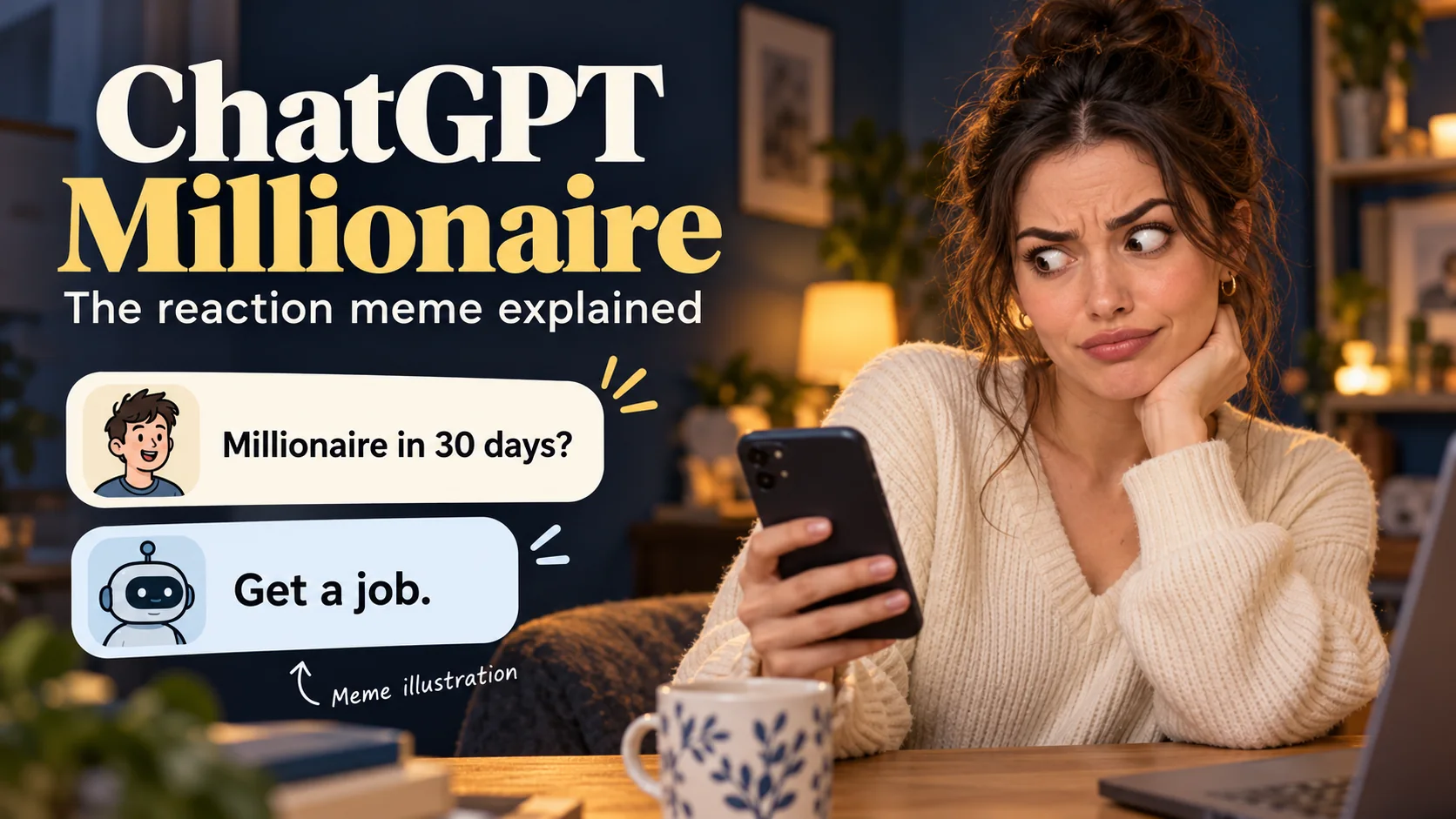
ChatGPT Millionaire is used for a short comedy-video format: someone asks how to become a millionaire quickly, receives a blunt answer such as “Get a job.”, and reacts with disbelief. The contrast between a grand ambition and an ordinary answer is the joke. It works with a person, a fictional character, or a pet whose expression carries the punchline.
If you found the phrase while looking for an AI video trend, this guide shows how to build your own version from one image. You will get a three-beat storyboard, original copyable prompts, suggested caption timing, and a review checklist. The examples are staged comedy; they are not evidence of a real ChatGPT conversation or a method for earning money.
You can create the reaction footage with the AI image-to-video generator. If you need a fictional starting frame first, use the GPT Image 2 image generator. The final captions and sound are assembled in a separate video editor.
The six images in this guide are original AI-generated editorial illustrations. They explain the workflow and are not screenshots of ChatGPT or guaranteed video outputs.
What does “ChatGPT Millionaire” mean?
The phrase can be ambiguous. In a finance context, it may appear in claims about making money with AI. In the reaction-video context covered here, it names a comic setup: ask for a shortcut to wealth, then reveal an answer that punctures the fantasy.
The ChatGPT Millionaire is also the title of a separate business and productivity book by Neil Dagger; this tutorial covers the reaction-video meme.
A recognizable version asks, “ChatGPT, how can I become a millionaire in 30 days?” The reply “Get a job.” is a three-word punchline. A stunned stare, an offended cat, or a slow look toward the camera completes the scene. You do not need an elaborate location, a simulated bank balance, or a luxury montage for the joke to make sense.
The useful creative distinction is between the script and the reaction. Write the conversation yourself, then use AI to create a believable visual response. Do not rely on a live chatbot to produce the same line each time, and do not label an invented exchange as an authentic screenshot. A simple caption such as “Scripted AI meme” makes the format clear.
Plan a three-beat ChatGPT Millionaire storyboard
Write the ending before generating the video. One clear expression is easier to direct than a chain of unrelated actions. For a first attempt, keep the subject seated, the background simple, and the camera still.
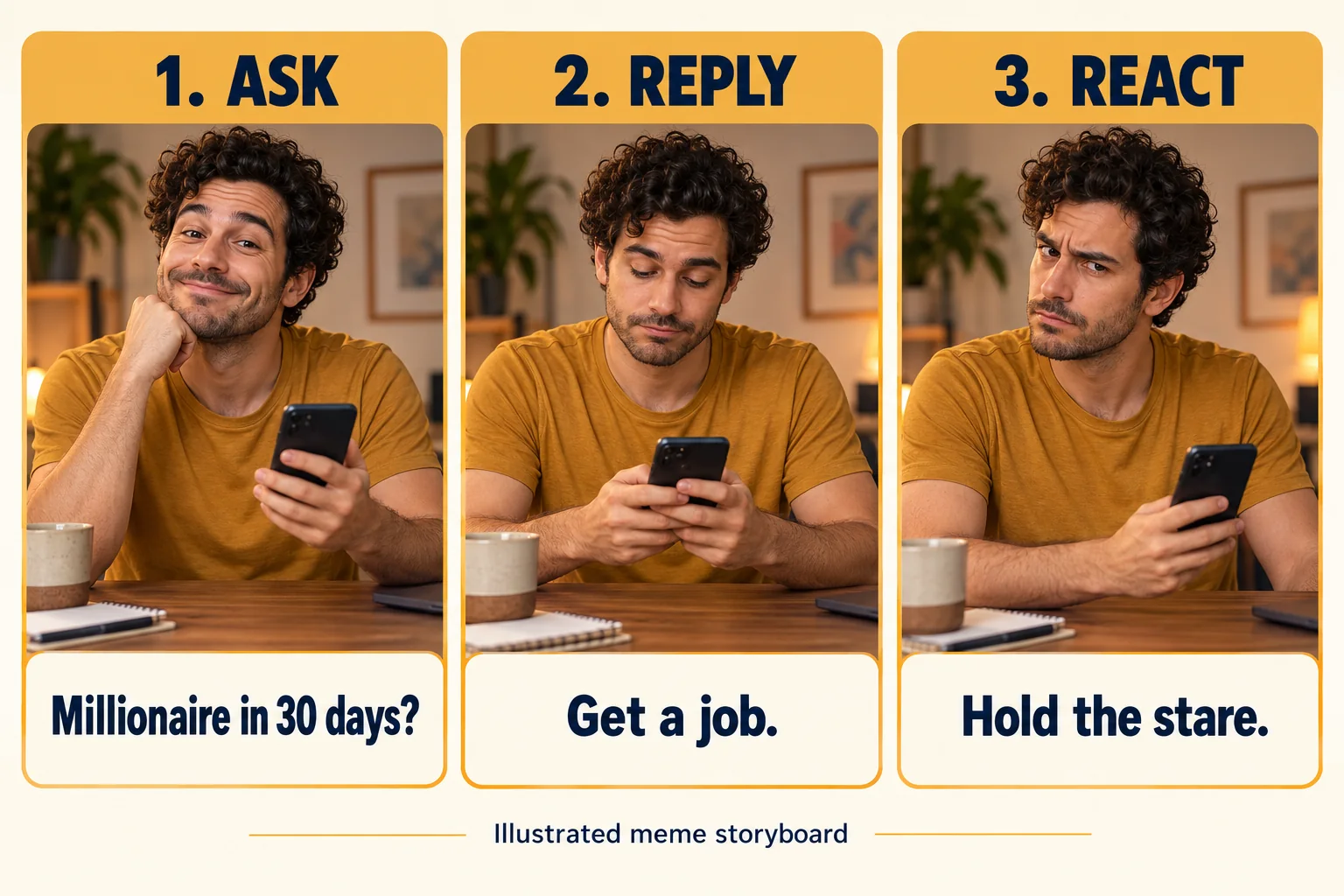
The following is a suggested eight-second edit, not a measured trend benchmark or a promise that a model will follow timestamps exactly. Generate a clip long enough to contain the reaction, then trim it to match your captions.
| Suggested edit time | On-screen content | What the subject does |
|---|---|---|
| 0–2 seconds | “ChatGPT, how can I become a millionaire in 30 days?” | Looks hopeful or confidently waits for an answer. |
| 2–3 seconds | Reveal “Get a job.” | Pauses long enough for the viewer to read it. |
| 3–6 seconds | Keep the reply visible. | Slowly looks at the camera, blinks, or loses the smile. |
| 6–8 seconds | Hold the expression; optionally add a brief closing caption. | Stays still so the punchline has room to land. |
Keep the question and answer on separate text layers. This lets you delay the reveal without regenerating the footage. If the expression happens early, move the answer earlier too; the edit should follow the usable performance.
Choose a human or pet reaction
A human portrait suits deadpan comedy. A small smile that disappears can tell the whole story. A pet version uses a familiar posture—a cat beside a laptop or a dog looking up from a sofa—and gives it an exaggerated interpretation through captions.
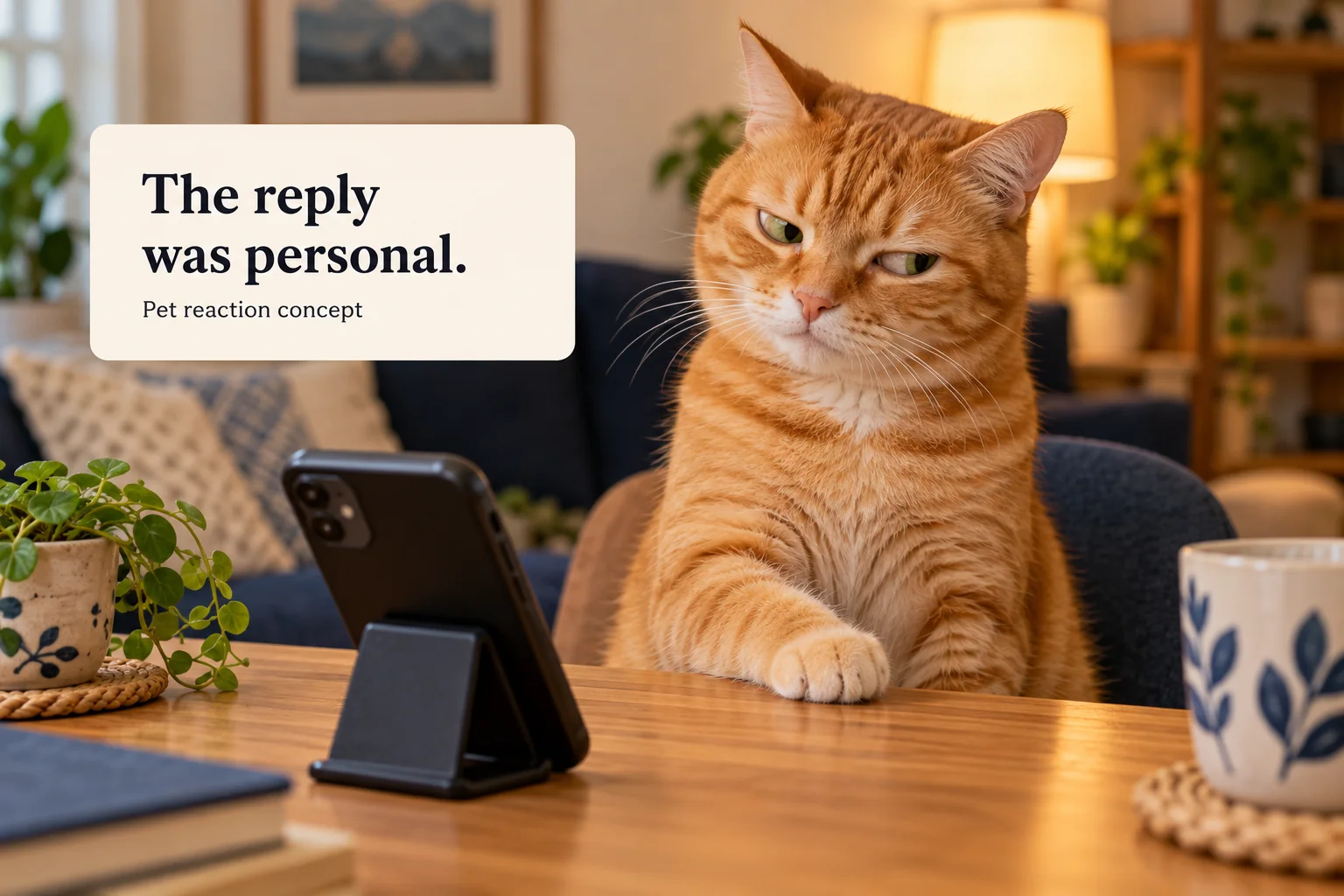
Choose a subject whose face remains readable in a small phone preview. For a pet, visible eyes and separated ears matter more than a complicated costume. For a human, avoid sunglasses, hair covering the eyes, and a hand directly in front of the face. If your reference has multiple people or animals, crop to the one that carries the joke.
Use a photo you own or have permission to edit. A fictional character is also a straightforward option when you want to develop a recurring series. Keep the same clothing, background, and framing across episodes so the changing question becomes the main variable.
Create a clean starting image
The starting frame should already contain the composition you want in the finished clip. Leave open space above the head for the setup, keep important features away from the edges, and avoid asking the video model to invent a phone interface while animating a face.
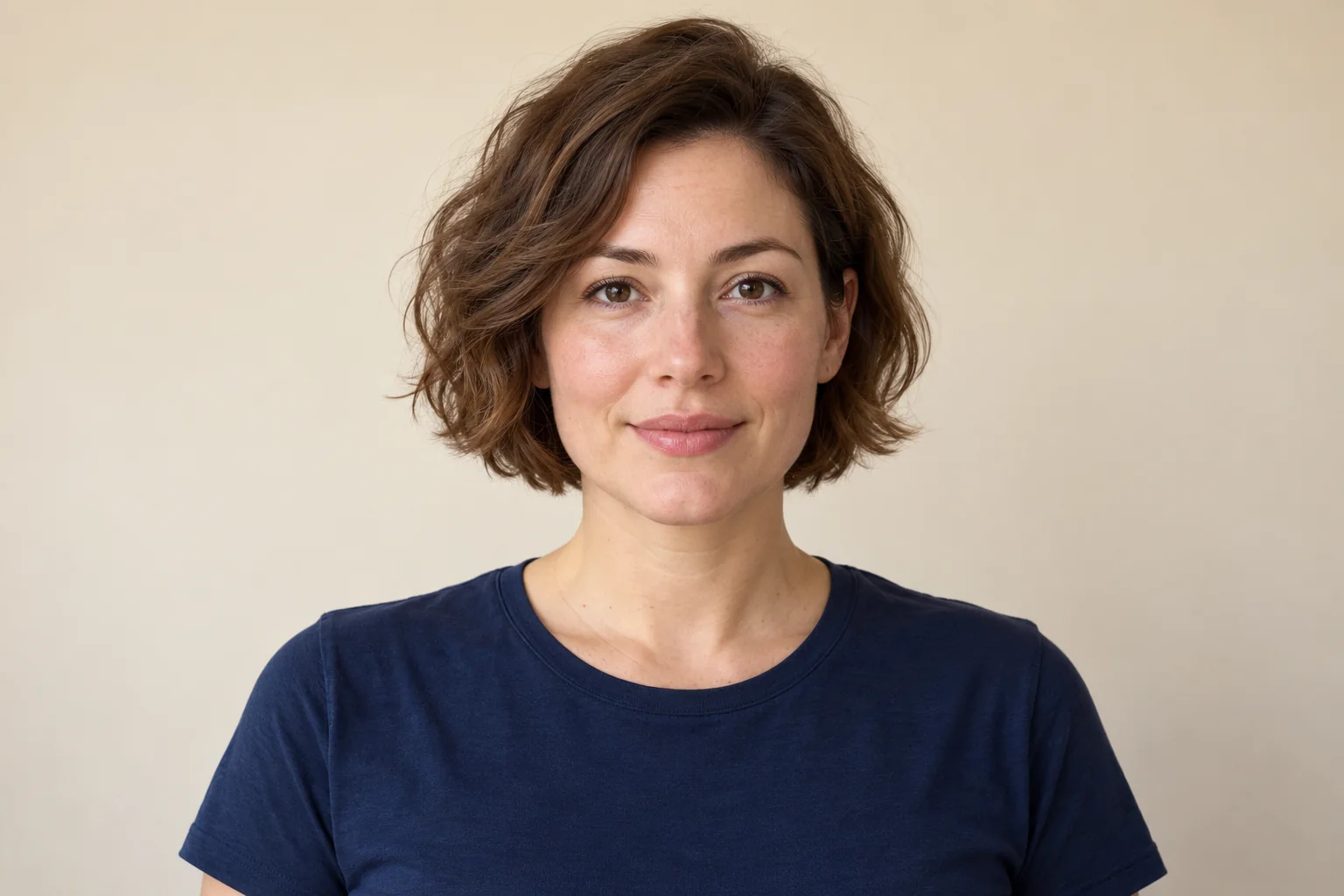
Use the following original prompt in the GPT Image 2 workflow. Choose a vertical composition when the finished piece will be a phone-first video.
Create a vertical 9:16 editorial photo of a fictional adult creator sitting at a tidy desk. Medium close-up, face clearly visible, relaxed shoulders, subtle hopeful smile, soft window light, plain warm-gray background. Keep the face in the middle portion of the frame and leave generous uncluttered space above the head for captions. A closed laptop may sit at the bottom edge. Natural anatomy and realistic proportions. No text, no chat interface, no logos, no money, no extra people.For a pet version, replace the subject rather than rewriting the entire visual style:
Create a vertical 9:16 photo of one expressive orange tabby cat seated beside a closed laptop on a simple desk. The cat faces the camera with a calm, expectant expression. Both eyes and ears are fully visible, front paws are clearly separated, soft daylight, uncluttered background. Leave empty space above the cat for two short captions. Natural cat anatomy, realistic fur. No text, no speech bubbles, no logos, no extra animals.Inspect the still image before continuing. Check the eyes, teeth if visible, fingers, paws, and edges of furniture. Fix a visibly flawed starting image at the image stage; asking for motion is unlikely to make that flaw easier to manage. For more ways to structure the subject, composition, and constraints, browse the GPT Image 2 prompt library on Lem Gen.
Animate one readable reaction
Open AI Video, choose Image to Video, and upload your chosen starting image. Available modes and controls depend on the selected model. Use the duration and aspect-ratio options shown in the generator, keep the crop consistent with the reference, and check the displayed credit cost before generating.
You do not need a dedicated “ChatGPT Millionaire” preset for this workflow. The image supplies identity and composition; the motion prompt supplies the performance. For the first generation, describe a small expression change and keep everything else still.
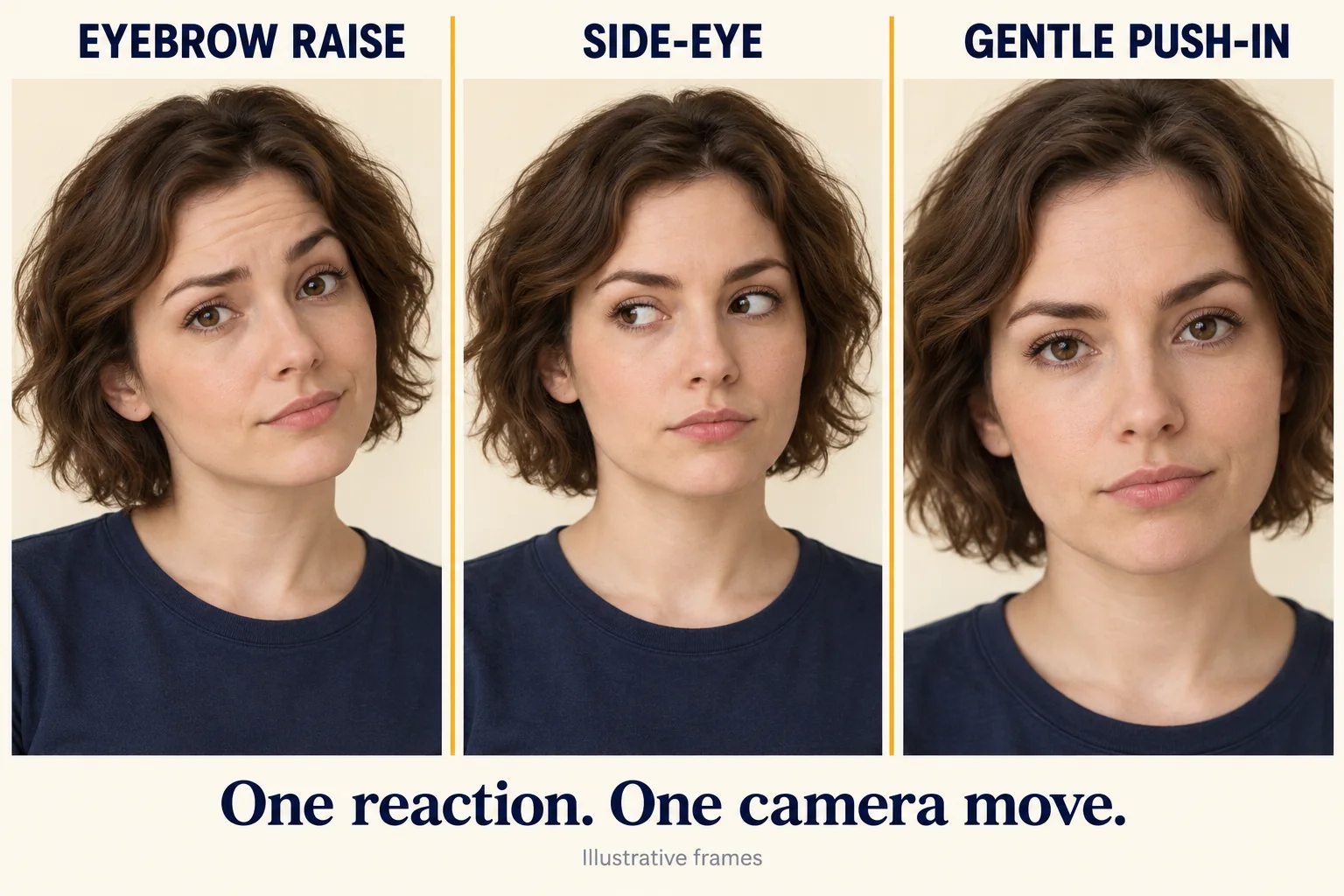
The illustration compares an eyebrow raise, a side-eye, and a gentle camera push-in. Try one change at a time; the prompts below begin with a locked camera so the expression remains the focus.
Human reaction prompt
Animate the uploaded portrait as a single continuous reaction shot. The adult starts with a small hopeful smile, pauses as if reading an unexpectedly blunt answer, then slowly loses the smile and looks directly toward the camera with quiet disbelief. Finish with one natural blink and a brief still hold. Keep the same face, hairstyle, clothing, lighting, and background. Locked camera, subtle movement, no cuts, no new objects, no generated text or speech bubbles. The humor comes from the restrained facial expression.Pet reaction prompt
Animate the uploaded cat photo as one continuous shot. The cat waits calmly, makes a small natural head tilt, then slowly looks toward the camera and holds an unimpressed expression. Add one gentle blink and subtle breathing. Keep the same fur markings, eye color, ears, body shape, desk, and laptop. Locked camera, realistic feline movement, no speaking mouth, no human gestures, no scene change, no extra paws, no text.If the result becomes too dramatic, remove actions before adding more constraints. “A slow look and one blink” gives you a clearer performance target than “shocked, angry, crying, jumping, and throwing the phone.” Generate another variation only after identifying what the previous clip needs to change.
An alternative deadpan direction is useful when the original expression feels too broad:
Keep the subject nearly motionless. Begin with neutral anticipation, then show a tiny change in the eyes and a slow glance at the camera. Hold the final expression. Preserve the reference identity and composition. No camera movement, no large gestures, no mouth movements, no text, no scene transitions.These are starting prompts, not tested guarantees. Models may miss an expression, alter a detail, or compress the action into a different rhythm. Review the actual clip and decide whether a trim, a different caption reveal, or a simpler regeneration will solve the problem.
Add captions, pacing, and optional sound
Download the reaction clip and open it in your preferred video editor. Add the question first, then reveal the answer on a separate layer. Use a plain, high-contrast font and short lines that can be read without pausing. Avoid placing important words at the extreme top or bottom, where platform controls may overlap them.
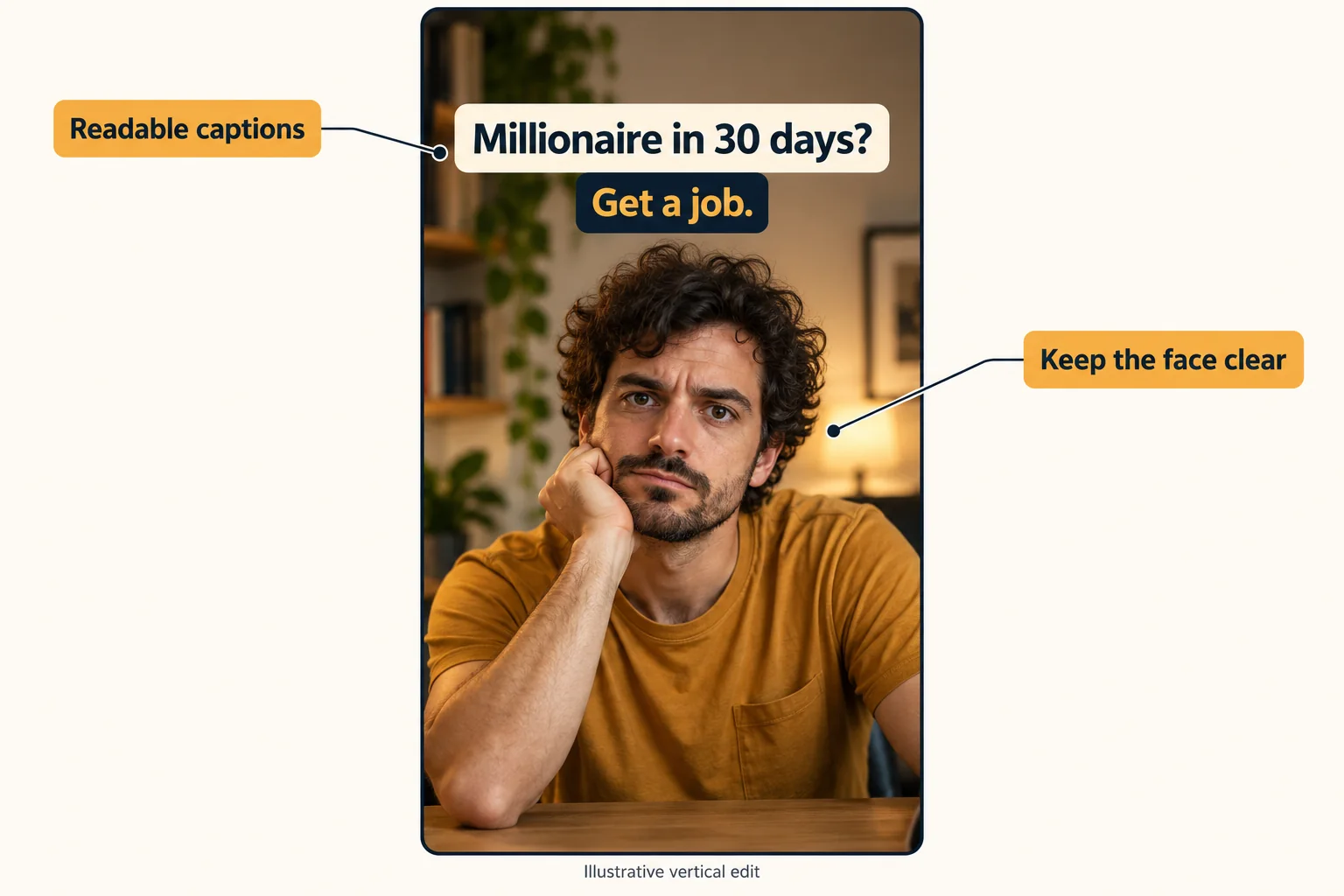
Keep the exported video vertical if the source was composed for 9:16. Inspect the final upload preview, because a safe crop in one interface may be covered in another. Do not stretch a landscape clip to fill a vertical frame; crop intentionally or rebuild the reference with more space.
You can make the joke work without sound. If you add audio, a small pause before the reply and a restrained sound cue can help separate the setup from the reaction. Use audio you have rights to use, and keep it below any narration. A specific track is not necessary to communicate this format.
For an original variation, keep the structure and change the comic obstacle: a fictional creator asking for effortless fame, a cat asking for unlimited treats, or a tired character requesting a shortcut to Monday. Make the wording yours. If you keep “ChatGPT” in the title or caption, describe the conversation as a scripted parody rather than an official feature or endorsement.
Fix the common problems before posting
Review the clip at full size and again at the size a viewer will see on a phone. The smaller preview often reveals that the answer is too tiny or the reaction is too subtle to read.
| Problem | Likely issue to inspect | Practical adjustment |
|---|---|---|
| The joke is confusing | The answer appears before viewers finish the question. | Delay the answer or shorten the setup. |
| The face or pet changes | The prompt asks for several large actions or a scene transition. | Reuse the clean reference and request one small reaction. |
| Caption letters wobble | Text was generated as part of the moving image. | Generate a text-free clip and add editable captions afterward. |
| The phone or paws distort | The prop overlaps the subject or requires complicated contact. | Remove the prop or crop it out of the performance area. |
| The punchline feels rushed | The edit cuts away as soon as the reaction begins. | Hold the final expression a little longer. |
| The video costs more attempts than expected | Each generation changes the subject, camera, and action at once. | Keep the reference fixed and change only one instruction per attempt. |
Before publishing, confirm that the question is readable, the reply appears at the intended moment, the subject stays recognizable, and the framing survives the final crop. Watch once with the sound off. Remove any misleading presentation of an invented chat as a real answer. No amount of editing guarantees reach, but a clear setup and readable reaction give viewers the information needed to understand the joke.
Build your first version
Start with one subject and one expression. Create a clean frame, animate the reaction, then adjust the caption reveal to match the footage you actually receive. This keeps the creative decisions small enough to review at each stage.
Use the image-to-video generator when your reference is ready, or create a starting portrait with GPT Image 2. Check current plans and credits before choosing a longer generation session, and explore the site's video showcases for framing ideas. The strongest first version is the one whose joke still works as a silent, clearly labeled, short sketch.
How to apply this
- Plan the joke
Write a short setup about becoming a millionaire, a blunt scripted reply, and one visible reaction. Treat the exchange as staged comedy.
- Prepare the starting image
Choose a clear portrait or pet photo, or generate a fictional subject. Leave space above the subject for captions and check the face, paws, and hands before animating.
- Generate one reaction
Open AI Video, choose Image to Video, upload the starting image, and describe a small sequence such as anticipation, a pause, and a slow disappointed look.
- Edit the captions and sound
Download the clip and add the setup and reply as separate text layers in your video editor. Use the suggested timing as a starting point and adjust it to the actual reaction.
- Review the finished clip
Watch with the sound off, inspect the final mobile crop, check character consistency, and disclose that the exchange is a scripted AI meme.
Frequently asked questions
What is the ChatGPT Millionaire meme?
It is a reaction-video format built around asking ChatGPT how to become a millionaire quickly, showing a blunt scripted answer such as “Get a job.”, and cutting to a disappointed or exaggerated reaction. Human and pet versions use the same joke structure.
Does ChatGPT really answer “Get a job.”?
Do not assume so. A meme caption or edited chat is not proof of a real response, and ChatGPT replies vary. The examples in this guide are scripted comedy, not recorded ChatGPT conversations.
Can I make a ChatGPT Millionaire video from one photo?
Yes. Start with a clear portrait or pet photo, animate a simple reaction using image-to-video, then add the question and answer as separate caption layers in a video editor. Exact timing and character consistency still need review.
Is there a ChatGPT Millionaire template on AI Image to Video?
This tutorial uses the general image-to-video generator and original prompts. It does not require or describe a dedicated ChatGPT Millionaire preset. Create the reaction clip on the site, then assemble the captions in your editor.
Can this trend help me become a millionaire?
The name describes a comedy premise. Making a meme does not guarantee views, revenue, or financial success. This guide is about creating a short reaction video.
Which format should I use for a short social video?
A vertical 9:16 composition is a practical starting point. Keep the subject near the center, leave room for captions, and inspect the destination platform’s preview so interface controls do not cover the joke.